A mail client for people with too much email
Read less. Find anything. Act faster.

Postio is a local-first, keyboard-first email client. Your mail is kept in a local database with a full-text index, so search and navigation never wait on the network — and every action you take applies instantly, offline or not.
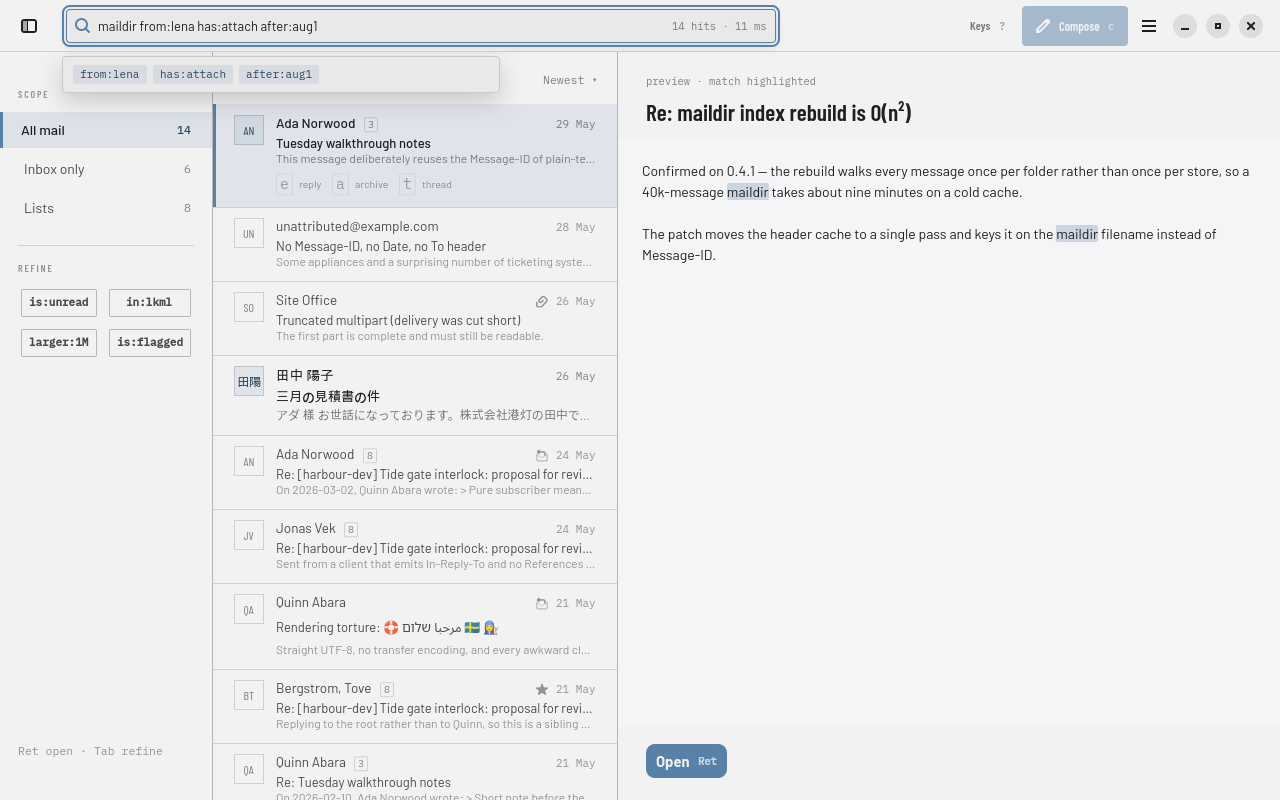
Postio's search results, with the reading pane open on a matched message and matched terms highlighted.

Instant

Opening the app is immediate, because there's nothing to wait for — mail already synced locally is already on screen. Every archive, flag, move or delete applies to your local copy right away; the server catches up in the background.

Search-first

One query box searches mail, jumps to a folder, or finds a person — from:ada has:attach after:2026-01-01 — and it's local, so results appear as you type instead of after a round trip.

Keyboard-first

Every command has a shortcut, a command-palette entry, and an accessible action, generated from one table so the three can't drift apart. e replies, a archives, t opens a thread — the mouse stays excellent and is never required. Every binding →

Bulk actions

Built for triage, not just for reading one message at a time

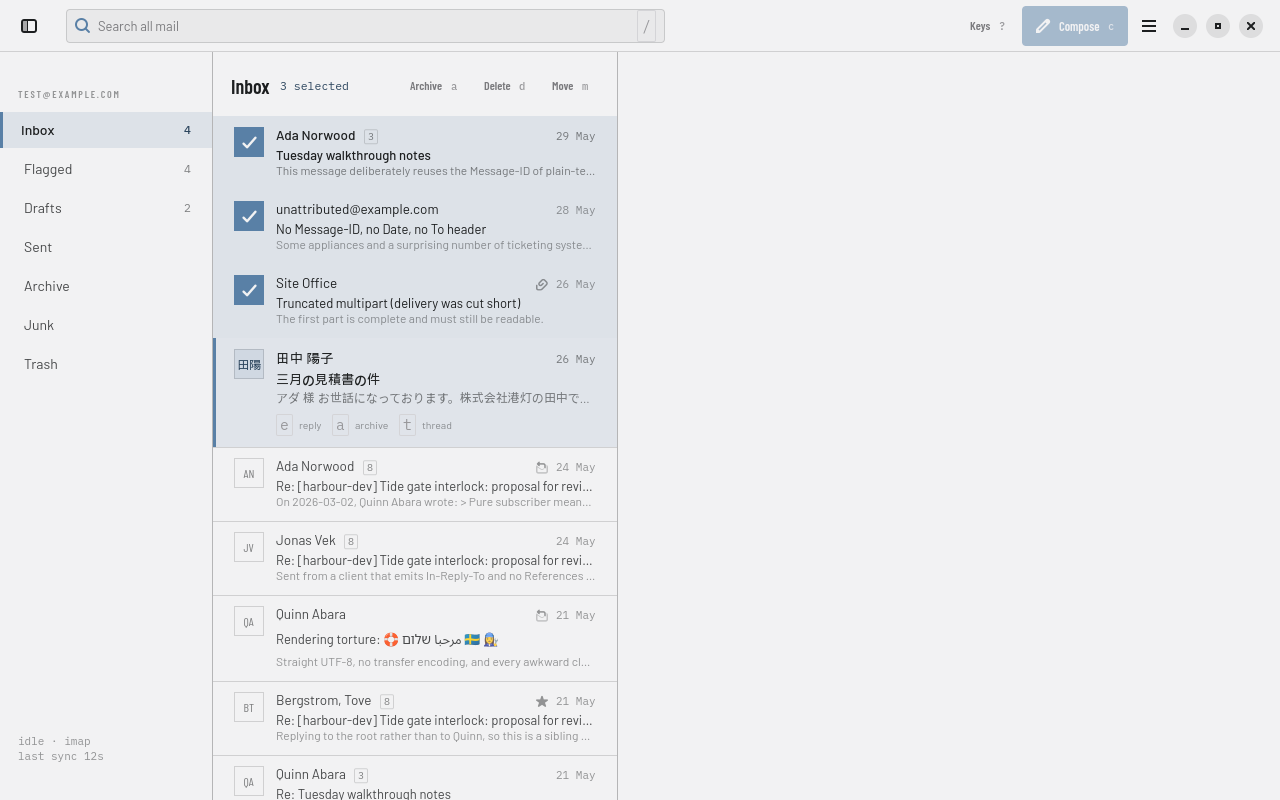
Select a run of messages with x, Shift, or the mouse and the list header itself becomes the action bar — archive, delete, move, each with its own key hint. Selection and cursor are two different things on purpose: the cursor is where the keyboard is, the selection is what an action would hit, and Postio never confuses the two.

Three messages selected in Postio's inbox, with an Archive / Delete / Move action bar in the list header.
Compose

Writing never makes you lose your place

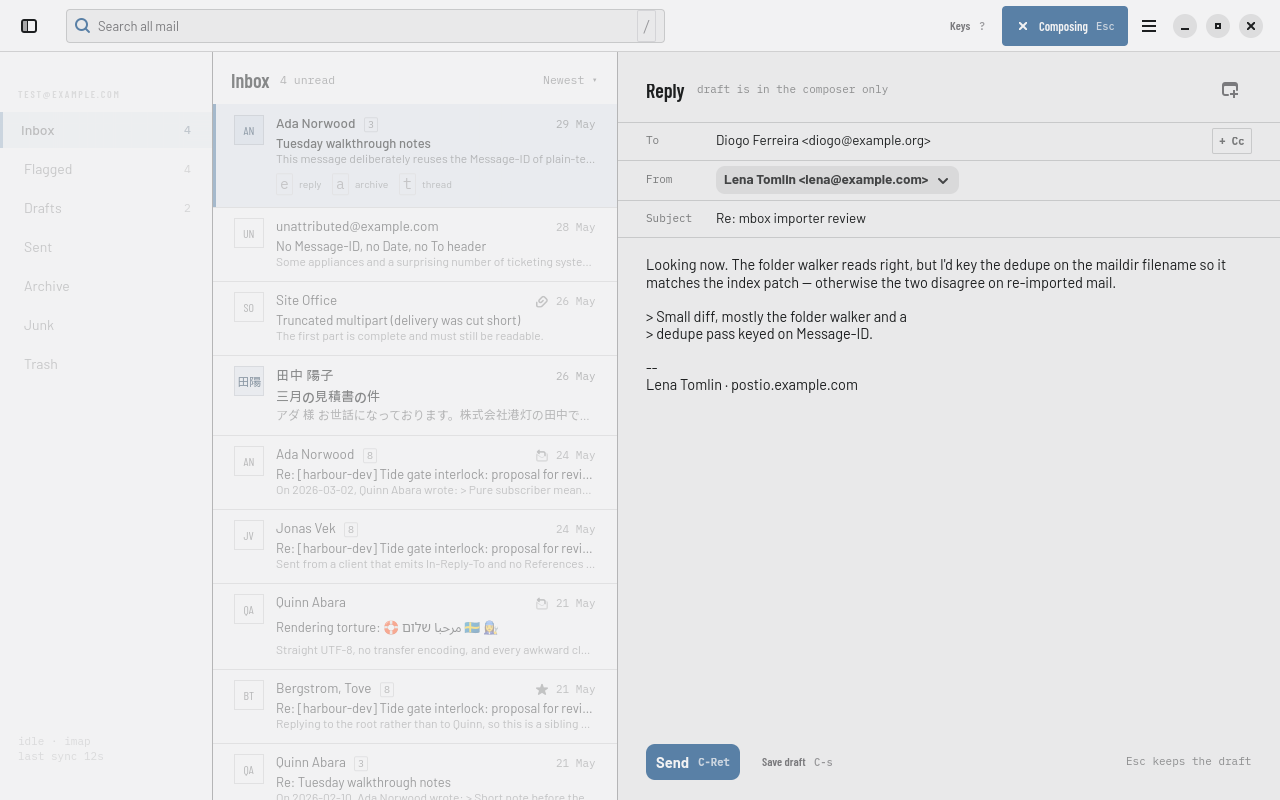
Compose takes over the reading pane rather than opening a separate window — the message list keeps its scroll position and selection right where you left them, visible underneath. Reply or start a new message, and Esc puts you back exactly where you were without discarding a word.

Postio's composer open over the reading pane, replying to a message, with the message list still visible on the left.
Privacy

Nothing leaves this machine that you didn't ask for

Email is the most sensitive thing on most people's machines, and mail is content designed to phone home. Postio treats that as a design constraint, not a checkbox.

Remote images stay blocked

Tracking pixels and remote images load only after you allow them, per sender — never on by default.

Read receipts are never automatic

Disposition-Notification-To is tracking with a friendly name, and Postio doesn't send one without you asking.

No speculative connections

No link prefetch, no favicon fetch. The message reader has JavaScript and network access off; images referenced by cid: resolve from what already synced.

No telemetry, ever

No crash reporting, no update ping, no analytics — on this page either. Your credentials live in your OS keyring, never in a config file, never in a log.

Under the hood

Local-first isn't a tagline here — it's how the app is built

Every action follows the same rule: write to the local database, queue the network operation, repaint. The network is never in the critical path of anything you do — which is also what makes offline just the normal case rather than a special mode.

SQLite + full-text search

Mail metadata, threads and sync state live in SQLite with an FTS5 index; raw messages and attachments sit in a content-addressed blob store. Nothing is ever loaded into memory all at once — the message list is windowed over paged queries, even at hundreds of thousands of messages.

One vocabulary, every surface

Every command in Postio — keyboard shortcut, palette entry, accessible action — comes from a single registry table. A command that isn't in it doesn't exist anywhere in the UI, which is what keeps the keyboard, the mouse and a screen reader in agreement.

Threading Postio can trust

Conversations are reconstructed locally with JWZ threading over message headers, using whatever a server offers as a hint and never as the answer — so a server that threads badly doesn't make Postio thread badly.

This codebase is almost entirely AI-generated. Postio is written by AI coding agents under a human maintainer who sets scope, reviews the results, and makes the product calls. Every piece of work is a GitHub issue worked in its own branch; test-driven development is mandatory; the invariants above — no SQL in the view layer, no message content in a log, a destructive command must be undoable — are checked by the build, not just remembered. The reasoning for every non-obvious decision is written down as an architecture decision record, in public.

Roadmap

What's designed, and what's next

Postio's first release is deliberately narrow: one account, done properly, before anything else. Here's what's already decided for after that — none of it is built yet unless this page says so.

Status

Where things stand today

Postio is pre-release and under active development. The first release targets Linux (GTK4 / libadwaita) with one IMAP and SMTP account, authenticated with a password or an app-specific password — reliable read, search, compose and reply, fully keyboard-operable, with sync and errors always visible. It is not yet packaged for easy install.

The most current picture of what's done and what's left is the issue tracker itself, not this page — a snapshot here would be out of date within a week.

Build it today

There's no packaged build yet, so running Postio means building it from source. The README has the current system dependencies and the exact steps.

git clone https://github.com/dlapiduz/postio
cd postio && cat README.md

Full build instructions →

Follow along

Every decision and every piece of work is public: the product spec, the architecture decisions, and the issue tracker where the project plans and argues with itself.

Documentation
Product spec
Architecture decisions
Issue tracker